QWERTY and Other Beasts
It must be said that human ingenuity knows no bounds, and the keyboard layouts reviewed in this article are by no means the only ones - merely the most popular and historically the oldest. Key layouts change for different alphabets, and there are many of them. Starting from German - where z and y swap places - all the way to Asian countries, where there is not a single character a European would recognise.
If you are from the generation for which a computer keyboard was not a childhood toy, you have probably wondered why the letters on the keyboard are arranged exactly as they are and not differently.
It all started, as always, in America, between 1867 and 1871. There were no computers at the time, but there were typewriters and newspapers, and there were editors who, just like today, wanted to write - quickly and legibly. Be that as it may, the first typewriters had keys arranged in alphabetical order, in two rows. A typewriter, as is known, is a mechanical device where, when typing, a mechanical hammer strikes (through an ink ribbon) the required letter onto paper. All was well until editors started typing quickly and these hammers began jamming.
So Christopher Sholes began thinking about how to solve this problem. He came up with the idea of arranging letters so that the letters of a word being typed would not be next to each other, but spread apart. This somewhat reduced typing speed, but also eliminated the possibility of a word's letters being adjacent. Thus the QWERTY keyboard was born, with letters arranged in 3 rows and one (top) row reserved for numbers. The first QWERTY typewriters had no 1 and 0, because, you see, the inventor believed these symbols could be replaced by the capital "I" or lowercase "l" and 0 - by the capital "O".

Figure 1. QWERTY in its early days.
I don't know whether by chance or not, but the 4-row layout resembles the 4 strings of most stringed instruments.
That was not the end of the story. In 1939, August Dvorak, a professor at the University of Washington, concluded that the QWERTY layout was not at all convenient.
Dvorak's concept was that:
- the most frequently used letters should be in the middle.
- the least frequently used letters - in the bottom row
- the right hand should do as much work as possible
- when typing digraphs (th, sh, ch, qu, etc.) the fingers should be spaced apart

Figure 2. The Dvorak keyboard.
The creation of such a keyboard coincided with World War II, which also brought about another need - keyboards for one-handed users.
There is a view that in the Dvorak key layout, letters are arranged more efficiently. There is no official research, but there is a belief that Dvorak keyboard users suffer less from the classic computer-related ailments.
It should be noted that the Guinness record for fast typing belongs to Barbara Blackburn, who in 2005, using the simplified Dvorak keyboard, managed to type 150 words per minute over 50 minutes.
Possibly thanks to the rapid development of computers (whose primary input device, as is well known, is the keyboard), the Dvorak layout has undergone various changes. For example, in 2006, Shai Coleman came up with the idea of slightly "improving" the Dvorak keyboard, naming the result the Colemak key layout.

Figure 3. The Colemak keyboard.
Note that the key combinations Ctrl + S and Ctrl + Z are positioned so that they can be performed with one hand.
There is also another improvement on the Dvorak layout - namely, Roland Kaufman "tweaked" the Dvorak layout specifically for programmers (C, Java, HTML, CSS).

Figure 4. The improved Dvorak keyboard - especially for programmers.
If you are intrigued and want to get stuck in and learn new typing methods (I have always admired such people), I can disappoint you - the chances of getting hold of a Dvorak keyboard are rather slim :(. Statistics are also unforgiving - only 2% of computer users use Dvorak keyboards (or the key layout, at least).
Options?
1. Find letter stickers and apply them. On eBay.com you can find them starting from $2. On a computer (at least Windows-like and Linux-like ones) there is already a special layout available.
2. If you're brave enough - you can "dismantle" the keys and reassemble them in the desired combination.
3. Use ultra-modern keyboards where the symbol on each key changes "as needed".

Figure 5. Developed by Art Lebedev Studio - Optimus Maximus (available for a mere $2,000).

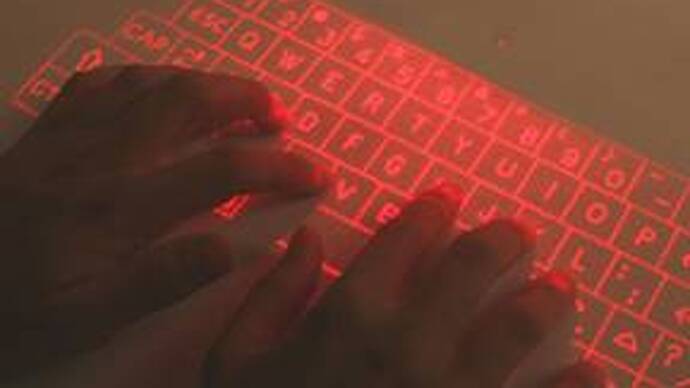
Figure 6. Virtual Laser Keyboard. (ebay.com - $169).
It must be said that human ingenuity knows no bounds, and the keyboard layouts reviewed in this article are by no means the only ones - merely the most popular and historically the oldest.
Key layouts change for different alphabets, and there are many of them. Starting from German - where z and y swap places - Russian - where there is not a single Latin letter - all the way to Asian countries, where there is not a single character a European would recognise.

Figure 7. A Chinese keyboard.
[1] http://en.wikipedia.org/wiki/Keyboard_layout
[2] http://www.apollo.lv/portal/news/85/articles/15024/0
[3] http://en.wikipedia.org/wiki/Qwerty
[4] http://en.wikipedia.org/wiki/Dvorak_Simplified_Keyboard
[5] http://www.marcofolio.net/other/5_alternatives_for_your_qwerty_keyboard.html
comments