Where and How to Store Passwords?
A password is used so that another person cannot access information you wish to keep secret, or that you don't want changed or deleted without your knowledge. This article covers several ways and approaches to storing passwords and how to avoid forgetting them.
With the arrival of the digital age in our lives came virtual sites where one wants to leave a little trace of oneself and, returning next time, find the site exactly as it was left. This could be a general description of social network profiles, online banking access points and email accounts.
The digital age freed us from many door and gate keys, but created a new kind - passwords. While a key could have a duplicate made or simply be kept carefully with an ear to every little sound for fear of theft, with passwords it is simple. They can be forgotten.
A password is a secret word, combination of words or string of symbols that guards access to some important piece of information.
How to remember a password?
And so as not to forget them, the human mind devised various tricks:
1. Make the password very simple.
2. Use the same password everywhere.
3. Make the password associative - for example, giving it the value of a phone number, personal ID number or postcode.
4. Write the password on a piece of paper and carry it around.
5. Write all passwords on a piece of paper and carry it around, or store it in a safe place.
6. Write passwords in a text file and protect it with another password.
7. Simply remember the passwords.
8. Use special applications for storing passwords.
Risks
A password is used so that another person cannot access information you wish to keep secret, or that you don't want changed or deleted without your knowledge. However, certain risks exist:
1. Someone could guess the password.
2. If you use the same password everywhere, a bad actor could observe it and use it on another site.
3. The password written on a piece of paper can be lost, or it can be stolen.
The most rational approach is evidently to remember one, but very complex password and use it to access the rest. An elegant example is storing passwords in an Excel file and protecting it with this one password.
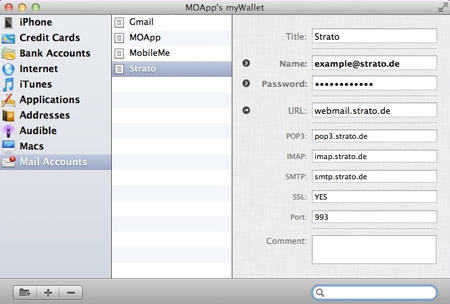
Researching the question of password storage carefully, I came across many programs that offer to do this. The mechanism is similar in all of them, differing only in convenience and additional features. Mac users have taken a liking to myWallet.
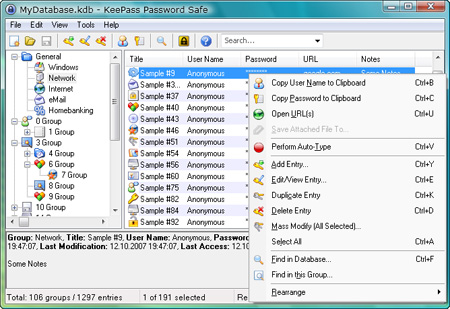
Password storage application - KeePass
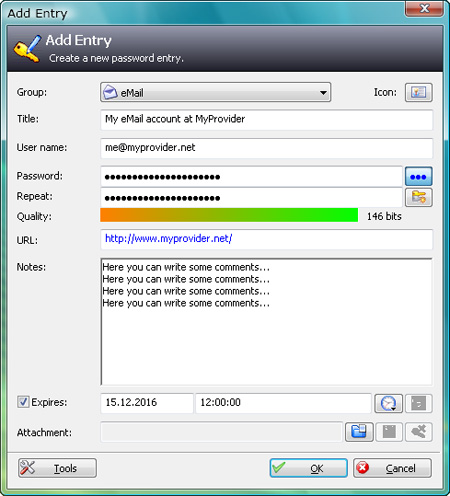
KeePass, it turns out, is a fairly popular and widely used program. Moreover, it is recommended as one of the options by CERT - the information technology security incident prevention institution. KeePass initially creates an empty database, which will be protected by a master password (the only one you will need to remember). You can then create password groups and finally the password entries themselves. The program has many and various settings, is comparatively intuitive and convenient to use.
KeePass is available for MS Windows, Linux (including Debian/Ubuntu), Mac, and iPhone and Android users.
For Windows users, KeePass is available both as an installable program and as a "standalone".
Storing passwords in DropBox
I have found it convenient to store the password file in the "cloud" - for example, DropBox. The cloud storage is itself protected by a password, and can be accessed from any computer (Windows, Linux, Mac), including mobile devices.
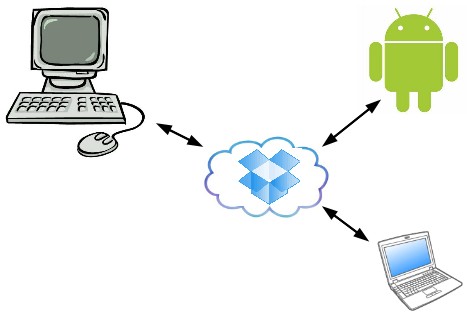
Photo: risesoftware.com
1. http://www.cert.lv/uploads/uploads/SM_paroles_drosiba.pdf
2. http://keepass.info/
3. http://www.macupdate.com/app/mac/30332/mywallet
comments